
Powering 2,000+ users
Create Viral Clips instantly. No camera. No editing.
The most affordable AI Video Tools for effortlessly creating attention-grabbing clips that boost engagement and generate income. No experience needed!
Video Tools & Features
Create and Monetize Viral Shorts
Got a content idea? We turn it into scroll-stopping AI-generated short video—no camera, no face, no hassle.
Create viral videos in seconds using just your idea and Vidscape AI tools.

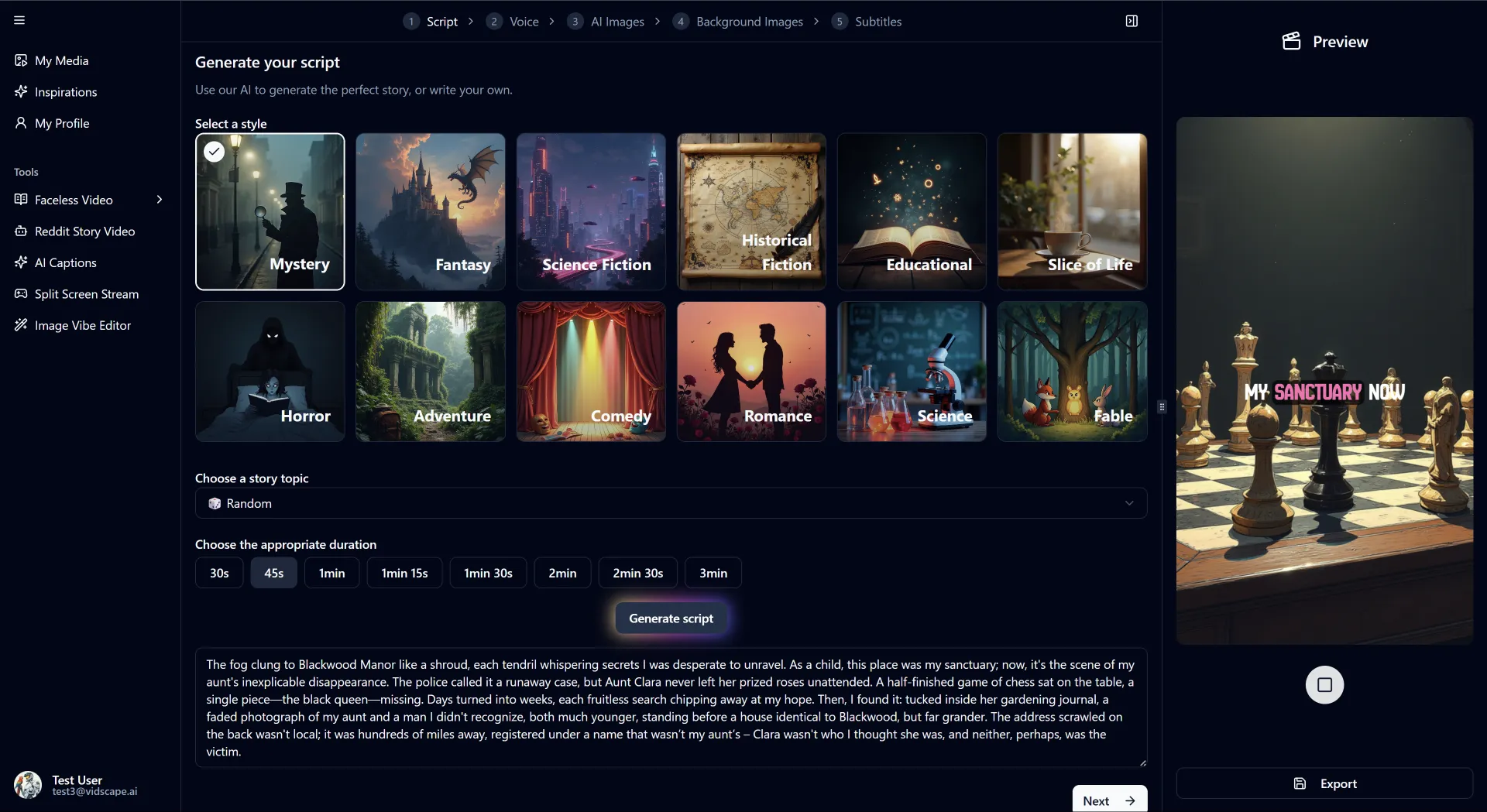
Faceless Story Video
Transform your ideas into visually stunning videos with precise control over style, mood, and pacing.

Fake Conversation Video
Got a viral conversation idea? Turn it into a short video with just a few clicks. Effortless video creation.

Reddit Video
Create Reddit Story Videos by writing your own script or auto-generating one from a Reddit link with ease.

URL-to-Video
Lorem ipsum dolor sit amet, consectetur adipiscing elit, sed do eiusmod tempor incididunt ut labore…
AI Captions to Boost reach
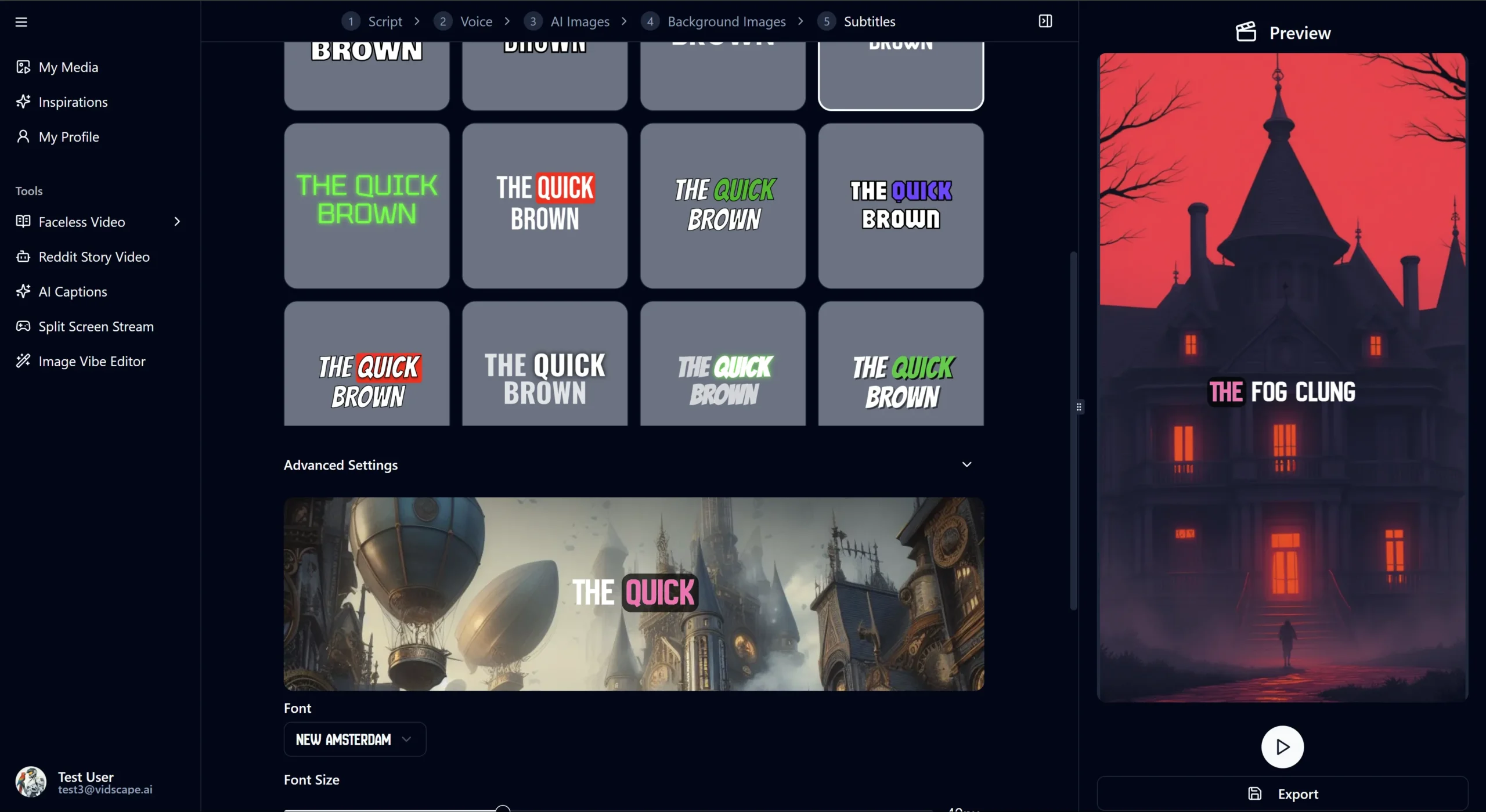
AI-generated captions in multiple languages make your videos more engaging and accessible to everyone – even with the sound off.
Split-Screen Videos
Showcase your clips alongside gameplay or AI-generated background for a more engaging viewer experience.
Features
The Most Affordable AI Video Tools on the Market
Cost-effective AI video generation at a fraction of the price of the competition.
Turn your ideas into videos for just $0.13 per minute, making it incredibly affordable for aspiring creators looking to monetize their viral content.
Process
Video Creation Reimagined
Just describe your idea, and Vidscape AI takes care of everything—research, script, subtitles, voice, and compression. Your video is ready in under a minute.
Our AI-powered platform revolutionizes how videos are created, saving you time, money, and creative energy.

Testimonials & Reviews
Your Stories Deserve More Views
Join thousands of creators turning ideas into videos that get noticed fast.
No long edits, just results in minutes.
We switched to Vidscape.AI a few months ago, and the difference has been huge. Our team works faster, collaboration is smoother, and having everything in one place has saved us time, reduced confusion, and helped us hit deadlines more consistently.

Liana Potmen
Founder – Potmen Technology
The features are great, but the support team truly sets Vidscape.AI apart. From onboarding to daily use, their quick responses and helpful guidance made the whole experience smooth and stress-free. It feels like we have a real partner, not just a service.

Robert Mathew
CEO – RM Growth
Latest News & Articles
Find news, insights, and best practices in video creation. Discover how to use use Vidscape AI to quickly craft compelling, captivating videos that stand out on any platform.
-
Something exciting is coming!
We’re launching a game-changing AI video creation platform designed for creators who want to turn ideas into scroll-stopping…
Frequently Asked Questions
Got Questions?
We’ve Got Answers.
Everything you need to know about Vidscape AI and how it transforms your video creation process.
How does Vidscape AI create videos so quickly?
Vidscape AI uses advanced artificial intelligence algorithms that automate the entire video creation process. Our system integrates multiple AI approaches to research topics, generate scripts, select visuals, create voiceovers, and produce final clips within seconds – eliminating manual work that traditionally takes days.
What types of videos can I create with Vidscape AI?
Full Site Editing in WordPress refers to a feature that allows users to create and edit their website’s entire layout, including the header, footer, and other structural elements, using a visual editor.
Can I customize the videos created by Vidscape AI?
To enable Full Site Editing in WordPress, you need to ensure that you are using a compatible WordPress theme that supports Full Site Editing. You will also need to install the latest version of WordPress and enable the Gutenberg editor.
What subscription plans do you offer?
To enable Full Site Editing in WordPress, you need to ensure that you are using a compatible WordPress theme that supports Full Site Editing. You will also need to install the latest version of WordPress and enable the Gutenberg editor.
Do I own the rights to videos created with Vidscape AI?
To enable Full Site Editing in WordPress, you need to ensure that you are using a compatible WordPress theme that supports Full Site Editing. You will also need to install the latest version of WordPress and enable the Gutenberg editor.
Is there a free trial available?
To enable Full Site Editing in WordPress, you need to ensure that you are using a compatible WordPress theme that supports Full Site Editing. You will also need to install the latest version of WordPress and enable the Gutenberg editor.
Try It Free. Scale When You’re Ready.
Get started without limits. Explore all features at your own pace — upgrade only when your needs grow.